
Triangle Mascot, a small Rive character test
A short breakdown of our Triangle Mascot file, why a tiny character is a good Rive test, and what a website needs to know to run it.
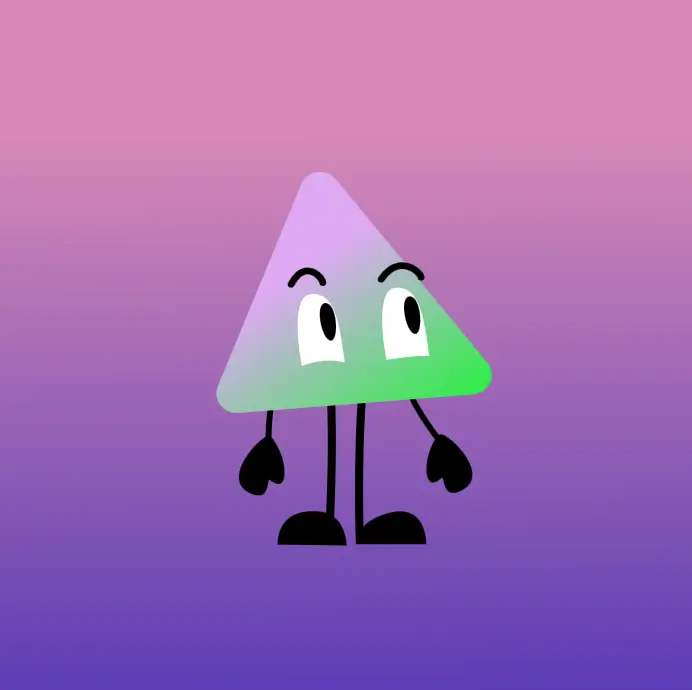
Mascots are a nice Rive test because they look simple until you try to make them feel alive. A blink is easy. A blink that reacts to a hover, keeps its timing, and does not feel like a looping GIF is a bit more interesting.
Triangle Mascot is one of the files we use for exactly that. Small file, clear state machine, enough personality to expose the usual web problems without becoming a whole production.
What lives inside the file
The useful thing here is that the character behavior is not scattered across the website. The .riv file carries the artboard, the animation states, and the state machine rules.
For this one, the web side only needs a few names:
- File:
/riv/triangle_mascot.riv - Artboard:
Character - State machine:
State Machine
That is the contract. If those names stay stable, the component can load the file, autoplay it, resize the canvas, and let the Rive runtime handle the character logic.
Why this is better than a video loop
A video would be fine if the mascot only needed to sit there. But the moment it has to react to the page, a video becomes annoying. You start stacking clips, hiding cuts, syncing states in JavaScript, or accepting that it is not really interactive.
With Rive, the animation can stay vector, stay small, and still respond to inputs. The website does not need to know every pose. It only needs to talk to the state machine.
The web part still matters
This is where a lot of Rive examples online skip the boring bit. The runtime has to be mounted properly. The canvas needs to resize with the layout. Mobile Safari has to be tested. If there are multiple Rive files on one page, the renderer setup matters.
We keep the implementation notes on dev.lupian.studio, and the broader set of live files on demo.lupian.studio. This post is more of a small behind-the-scenes note than a full tutorial.
Quick walkthrough
Here is the short version in video form:
If you are building something that needs character, motion, and actual interaction on the web, this is the kind of small Rive setup we like starting from. You can poke around the demo site, or just write to Lupian if you want to build one for a real project.